🧾 Purchase Order Overview: Mastering the Procurement Workflow in Source Correct
🟦 Overview
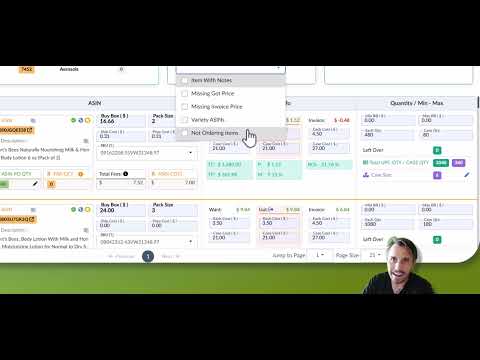
Click the image above to watch the tutorial video
Your Purchase Order (PO) screen in Source Correct is more than just a place to finalize supplier buys — it's your command center for procurement visibility, cost control, and operational clarity.
This article gives you a full walkthrough of the PO screen, key features, and best practices for managing and optimizing your purchasing workflow.
🚦 PO Stages: Track Progress Step-by-Step
Each PO moves through structured stages — this ensures communication and clarity across your team:
- Sourcing
- Pricing
- Purchased
- Receiving
- Completed
🛠 You can update PO stages directly to reflect your team's workflow.
.
🗂️ Comments vs Notes
- PO Comments: Collaborative notes across the entire PO (used for updates and general communication).
- PO Notes: Notes attached to specific ASIN on the PO.
🔄 Managing ASINs on a PO
- Move or Copy ASINs from one PO to another.
- Remove ASINs from the PO if they’re no longer needed.
- Search ASINs directly within the PO for quick navigation.
🔗 Linking Supplier Sheets to a PO
Every ASIN in your PO must be connected to a supplier sheet — Source Correct links these automatically during procurement process.
📅 Adding Delivery ETA
Track when you expect PO delivery from your supplier using the ETA field — helpful for planning inbound shipments and warehouse readiness.
✅ Inbound Eligibility Check
Source Correct automatically checks for FBA Inbound Eligibility on all ASINs in your PO — helping you catch restriction issues before purchasing.
🧾 Invoices & Invoice Cost Upload
Upload your supplier invoices directly to your PO and bulk update Invoice Costs for accurate profit tracking and financial reconciliation.
💡Pro Tip: This is a great way for our users to handle any account health issues in Seller Central which need invoices. -- Users search the ASIN in Source Correct, find the PO's connected and correlating invoices.
💰 Cost Insights: Want, Need, Got, Invoice
- Want Cost: Optimal Cost you are Requesting from Supplier
- Need Cost: The highest you are willing to pay for the product (this is not shared with supplier but kept internal to you)
- Got Cost: Actual price supplier quoted you.
- Invoice Cost: Final invoiced cost (can differ due to discounts or changes)
Use bulk updates to align Got Costs or Invoice Costs across all ASINs when appropriate.
📊 PO Statistics Dashboard
View macro-level stats like:
- Total Units
- Total ASINs
- Total Cost
- Projected Revenue
- Profit & Margin
- Total Prep & Ship Costs of PO
- Total Hazmat Storage Volume on PO
🧠 Use these for margin reviews and budget planning.
📋 Reports Breakdown
Easily export data using the PO report suite:
- PO Report: Complete PO export with all cost and ASIN info
- Inbound Eligibility Report: Flags ASINs that can’t be shipped
- Pricing Report: This Report is sent to your supplier at the PO Pricing Stage
- Discrepancy Report: Compare ordered vs invoiced and invoiced vs received quantities and costs
🔍 PO Filters & Sorting
Use filters to view:
- Specific buyers
- Variety ASINs only
- Items with notes
- ASINs missing invoice/got costs
- And many other filters
✅ Combine filters to quickly isolate priority tasks.
🛠 ASIN Line Item Details
Each ASIN includes:
- Buyer name & date added
- PO Notes
- Prep Instructions (Company + Warehouse)
- Global ASIN info
- PO Quantity
- Amazon Fees
- Shipping Cost & Prep Cost
- Total Profit, ROI, and Margin
📦 Track Left Over Quantity (total ordered minus assigned to ASIN PO) and Total UPC Qty across POs.
🏷️ SKU Selection + Pricing
- Choose the Seller SKU to use for the PO
- Add or update Min/Max BB Pricing (your Floor & Ceiling) for accurate repricing and margin planning
💡 Pro Tip
Before completing the Purchased Stage of a PO, always use the Listing Creation Function to ensure that all ASINs on your PO can be created without issue. You do NOT want to agree to purchase something from your supplier and then find out after receiving the products that you cannot create a SKU for that particular ASIN!