✅ Verify Before You Source: Scrub Your Supplier Data for Even Better Results
🟦 Overview
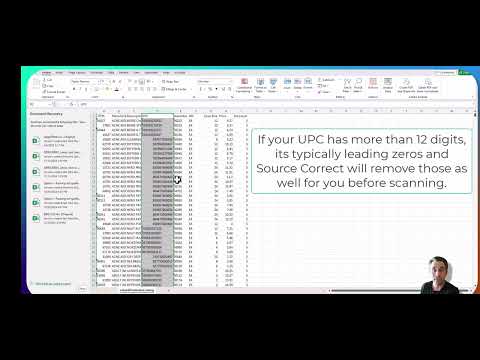
Click the image above to watch the tutorial video
Before uploading any supplier catalog into Source Correct, it’s critical to verify that your data is clean, consistent, and structured for scanning. Doing this helps avoid errors, improves ASIN match rates, and keeps your team moving efficiently through the sourcing workflow.
🧭 Why This Step Matters
Bad data slows everything down.
Files with missing UPCs, inconsistent formats, or outdated price types will result in poor matches and extra cleanup work — costing you time and money.
This quick video walks you through how to spot and fix issues before uploading to ensure a smoother experience and more accurate results.
📋 Pre-Upload Checklist
-
✅ CSV Format Only
Save your file as.csv. Excel files (.xlsx) won’t be accepted. -
✅ Standardized Headers
Connect to the correct columns like:UPC,Item Number,Description,Brand,Price,Case Size, etc.
Avoid empty columns, duplicates.
Your columns can have their own naming convention, just ensure the correct .csv header column is connected to the right mapping field in Source Correct. -
✅ Clean UPCs
UPCs should be 12 digits (or 13 for EANs).
No extra characters, spaces, or hyphens.
Source Correct will call UPC algorithm to find accurate UPC when your supplier only provides you with 10 or 11 digit UPC. -
✅ Consistent Price Format
-
Specify
Each,Dozen, orCasein thePrice Typecolumn. -
If price type varies by row, use a dedicated
Price Type Column by choosing "Column-Specific
-
-
✅ Case Size Present
Required if pricing is listed by case. -
✅ One Product Per Row
No merged cells or grouped listings.
💡 Pro Tip
Start clean, scale fast.
This simple check prevents issues later on and improves:
-
ASIN match accuracy
-
Pricing validation
-
PO creation speed
-
Long-term reporting quality
Once verified, your team can upload with confidence — knowing Source Correct will deliver even better results.