📋 Supplier Sheet Data Table
🟦 Overview
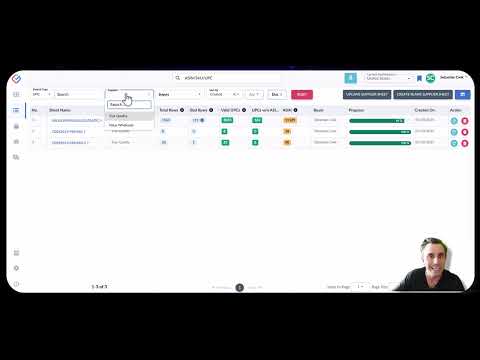
Click the image above to watch the Supplier Sheet Data Table tutorial video
From this view, you can filter, sort, and search across every uploaded supplier sheet to track sourcing activity, match rates, and buyer uploads. It’s also the launchpad for uploading new sheets, creating blank supplier entries, and managing supplier profiles.
🔍 Top Panel Features
-
Search Bar – Choose your search type (Sheet Name, UPC, or ASIN), input your term, and Source Correct will scan across your company’s historical uploads to return matches.
-
Supplier Filter – Narrow results to a specific supplier using the dropdown.
-
Buyer Filter – Filter by the user who uploaded the sheet (all uploaders are considered "buyers" in Source Correct).
-
Sortable Columns – Nearly every column in the data table can be sorted to help you quickly find relevant uploads.
-
Upload Supplier Sheet – Opens the familiar uploader flow covered in our Uploading Supplier Sheets article and video.
-
Create Blank Supplier Sheet – A workflow we’ll explore in an upcoming guide.
-
Supplier Info Screen – Allows you to update or delete supplier records and edit their display initials.
🗂️ Table Column Breakdown
Here’s a quick explanation of each column in the Supplier Sheet Data Table:
-
Sheet Name – The name of the supplier sheet as uploaded by the user.
-
Supplier – The linked supplier assigned to that upload.
-
Total Rows – The total number of lines from the file.
-
Bad Rows – Rows that contain a UPC/EAN format but couldn’t return any ASIN match or product data.
-
Valid UPCs – Verified, mappable UPCs found in the upload.
-
UPCs Without ASINs – Verified product identifiers that could not be matched to any ASIN in Amazon or your custom ASIN database.
-
ASINs – Total ASINs successfully connected through this upload.
-
Buyer – The user who uploaded the file.
-
Progress Bar – Displays the current scanning progress for that supplier sheet. **Note that Source Correct performs real-time scans using Amazon's most up-to-date data, which may take slightly longer but ensures accuracy over outdated snapshot-based tools.
- Created On - The Date which this Supplier Sheet was uploaded
-
Action – Refresh to update the progress bar status or delete the supplier sheet.
⚙️ Additional Functionality
-
Clicking into a Row – Opens the full Supplier Sheet for detailed product review, ASIN sourcing, and PO creation.
-
Editing – Supplier sheets cannot be edited once uploaded. If corrections are needed, re-upload the corrected file.