🧾 Inside the Supplier Sheet: Overview
🟦 Overview
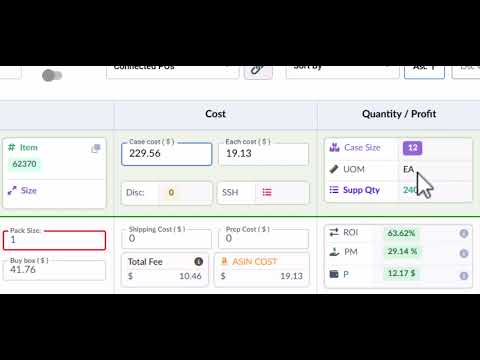
Click the image above to watch the full tutorial on YouTube.
Your Supplier Sheet is where sourcing decisions take shape.
Once a supplier sheet is uploaded and scanned, Source Correct transforms it into an interactive workspace for ASIN analysis, pricing breakdowns, PO creation, and deeper decision-making.
This article walks through all the tools, columns, and insights inside the Supplier Sheet view.
🔍 Search & Filters
Use the top of the screen to filter and locate supplier items quickly:
Search Types — Search by ASIN, UPC, or Description.
Variety Toggle — Switch between Default View and ASIN View (shows ASINs connected to each supplier item).
PO Filter — View supplier items already added to a PO, or not yet added.
Other Filters — Filter by Seen/Unseen, Watchlist, Blacklist, and more.
Sort Columns — Sort the sheet by ROI, Margin, Buy Box, Quantity, or other available data columns.
🔧 Supplier Item Controls
Each row on your Supplier Sheet represents a supplier-provided item. You can:
View Details: See UPC, Item #, Description, Case Size, and Pricing.
Create Custom ASINs: Attach ASINs not found via UPC matching.
Create Custom Items: Manually add items that weren’t on the CSV.
Update Discounts: Apply % or $ discounts, which update cost calculations.
Edit Columns: Update Price Type, Supplier Quantity, Pack Size, and other fields.
🔗 Connected ASINs
Under each supplier item row:
View all ASINs connected to that supplier item.
See key ASIN metrics: Title, Buy Box, Profit, ROI, Fees, and Eligibility.
-
Hover or click icons for:
Global ASIN Overview (opens full product profile)
SKU History: View all SKUs you’ve created for this ASIN.
PO History: See which SKUs are currently on purchase orders.
🗒️ Notes & Alerts
ASIN-level and Item-level communication lives here:
ASIN Notes: Internal context related to the product.
PO Notes: Details or reminders specific to a purchase order.
Warehouse Notes: Prep, pack, or fulfillment instructions.
Eligibility Warnings: Auto-alerts for restrictions or approval needs.
Approval Request: Trigger SKU approval workflow directly.
💡 Profitability Metrics
For each ASIN, Source Correct displays real-time profitability data:
Case Cost and Each Cost
Shipping Cost
Prep Cost
Amazon Fees
ROI, PM%, and Profit $
These calculations help you make confident sourcing decisions without leaving the sheet.
⛓️ Purchase Order Integration
Add to PO: Click to add a supplier item + ASIN to any open PO.
See a PO tag next to any SKU that’s currently on a draft or submitted PO.
View historical PO connections and previous pricing by ASIN.
🧠 Smart Features
Seen / Unseen Icon: Tracks what you've already reviewed.
Blacklist / Watchlist Icons: Mark ASINs for exclusion or future review.
Activity Log: View all changes made to the sheet, when and by whom.