🧃 Add Variety ASINs to Your Database
🟦 Overview
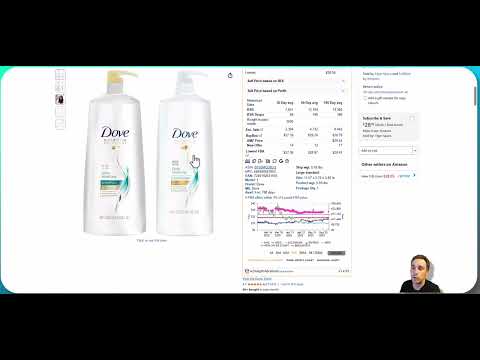
Click the image above to watch the tutorial video
Variety ASINs are powerful listings that combine multiple products into one high-converting ASIN. In Source Correct, you can connect these Amazon variety listings to your internal supplier items — expanding your database and giving your team more options when placing purchase orders.
PLUS the ability to receive, store, prep & ship those ASINs. Taking individual products and "building kits" to create these variety bundles. This tutorial walks through the first step of that process... How to connect a new Variety ASIN to your Source Correct database.
🔍 What Is a Variety ASIN?
A Variety ASIN is an Amazon listing multi-pack that includes multiple different products.
For example:
-
✅ A shampoo + conditioner bundle (different UPCs) → Variety ASIN
-
❌ A 3-pack of the same shampoo (same UPC) → Multi-Pack Bundle, not a variety
In Source Correct, the variety ASINs tool allows you to build complex listings from different supplier products, giving your team greater flexibility in product selection and bundling strategy.
🧠 Why It Matters
Most software scanning tools do not capture variety ASINs (and in general many multi-packs as well) — which means your team is often blind to the best-performing multi-pack listings.
By building your own Variety ASIN database inside Source Correct, you unlock:
-
More ways to monetize the same inventory
-
Access to high-volume ASINs your competitors ignore
-
A centralized place to track pack sizes and bundle components
-
Full profitability data — including total unit cost and Amazon fees
- The ability to bring in different products from different suppliers and purchase, track , receive, prep & ship them all in one system.
✅ How to Connect a Variety ASIN
-
Open a Supplier Sheet
Navigate to a supplier sheet where at least one item is included in the variety bundle. -
Click “Variety ASIN +”
This opens the connection modal. -
Paste the Amazon ASIN
Enter the variety ASIN you want to connect.
If it does not yet exist in your Source Correct database, it will be added now. -
Search for and Add Components
-
Add each component item (from your supplier sheet) that makes up the bundle
-
Confirm "component qty" for each component (e.g., 2 units of Item A, 1 unit of Item B)
-
-
Save the Variety ASIN
Source Correct will now store the full bundle breakdown — including pricing, fees, and profit margin.
📦 Once Connected
The newly added Variety ASIN will:
-
Appear across future supplier sheets that include any of its components
-
Be included in profitability calculations
-
Be available for purchase order creation
-
Support variety-level tracking and sourcing strategy
🔐 Who Can Use This Feature?
Only admin-level users or team members with Variety ASIN permissions can connect or edit Variety ASINs in the Source Correct system.